

You have a subtitle file. Is it ready?
For an interview, the hard part is not writing text into an SRT file. It is showing the right words at the right time. Start with a short Mandarin recording: create SRT, convert it to WebVTT, then listen back. A file that opens is only the first step.
Make one SRT you can review
Follow the installation and environment checks for a CPU environment with matching, importable PyTorch and torchaudio. Then install funasr==1.4.15 and run python -m pip check. Install FFmpeg separately and check ffmpeg -version. The first run downloads models: local inference does not mean the first installation is fully offline.
Place a short recording you have permission to use at audio.wav. For video, extract the audio first. For multiple audio tracks, check that the selected track has the intended language. -n prevents overwriting an existing audio file:
ffmpeg -n -i video.mp4 -vn -ar 16000 -ac 1 audio.wav
Select the Mandarin Paraformer path explicitly. The CLI otherwise defaults to SenseVoice. This path combines Paraformer, FSMN-VAD and punctuation; it does not combine the language and timing capabilities of every model. Use a fresh output directory: the CLI overwrites subtitle files with the same name.
funasr audio.wav --model paraformer --device cpu --output-format srt --output-dir ./subs
The output is ./subs/audio.srt; --output-dir takes a directory. SRT mode requests timestamps without an extra --timestamps flag. The default readable mode regroups cues. Use --subtitle-segment-mode sentence to retain model sentence boundaries. Both modes still need review.
Convert the same subtitles to VTT
The current FunASR CLI accepts text/json/srt/tsv, not vtt. Convert the existing SRT with FFmpeg instead of running recognition again:
ffmpeg -n -i ./subs/audio.srt ./subs/audio.vtt
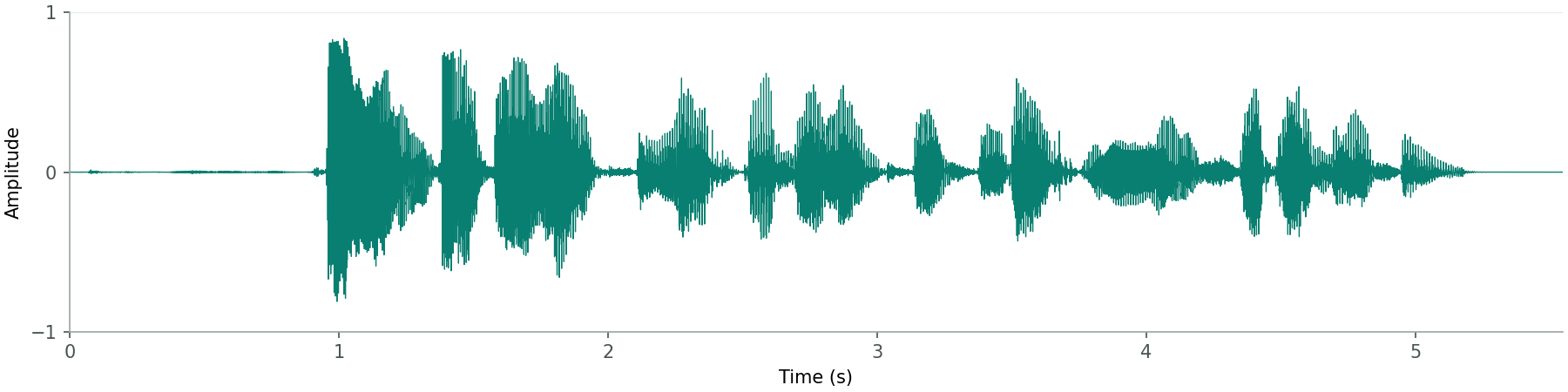
These files came from this run of the official short Chinese audio sample, about 5.55 seconds long, on Linux CPU with FunASR 1.4.15 and PyTorch/torchaudio 2.10.0. This is a short-sample functional check, not a subtitle-accuracy, speed or long-video benchmark.
SRT
1
00:00:00,880 --> 00:00:05,195
欢迎大家来体验达摩院推出的语音识别模型。
Converted VTT
WEBVTT

00:00.880 --> 00:05.195
欢迎大家来体验达摩院推出的语音识别模型。
The decimal separator changes and a WEBVTT header appears. That is a format conversion, not new recognition. It does not fix text, timing offsets, speaker errors or a missing final sentence.
Check three things before delivery
- Listen to the beginning, pauses and final sentence. Do cues appear too early, linger into the next sentence or miss the end? An exit code cannot answer that.
- Review names, numbers and reading load. Automatic grouping does not guarantee a fixed character or duration limit for every cue. Without alignable timestamps, an original segment may remain intact.
- Play the result in the target player or editor. Check that the subtitle file matches this version of the video. Adjust timing where needed before exporting the deliverable.
SRT output is not proof of precise alignment. Without sentence information, the CLI may emit one cue over the overall timestamp range or even the full audio duration. Failed punctuation alignment may fall back to VAD segment boundaries. These are not word, phoneme or human-verified boundaries. See the CLI implementation checked for this guide for export and fallback behavior.
This minimal path does not enable diarization. Adding --spk does not automatically put names or Speaker prefixes into CLI SRT output. For speaker-based clipping, use the separate FunClip / MOSS workflow; anonymous labels are not real identities.
For text-only transcription, start with the native Fun-ASR-Nano Transformers guide. Its text output does not provide the subtitle timestamps or diarization needed here. Do not substitute it and promise the same aligned subtitles.
Next, review your own short material with the FunClip subtitle and selection workflow, starting with one manually checked clip.