

Turn a conversation into editable subtitles
If you need one guest's remarks from an interview, subtitles that lead back to the sound are more useful than a page of fluent text. FunClip can select ranges by recording-local speaker labels; you still need to listen before accepting the cut.
An existing FunClip v2.2.0 two-speaker example completed that sequence: obtain S01/S02 labels, produce subtitles, then cut the S02 ranges. This historical functional case anchors the article; it does not prove that every interview will be edited correctly.
A recording-local label does not identify a known person. spkS01 and spkS02 belong to this recording, with no promise of the same person behind a label in another file. Segment subtitles are not precise word alignment.
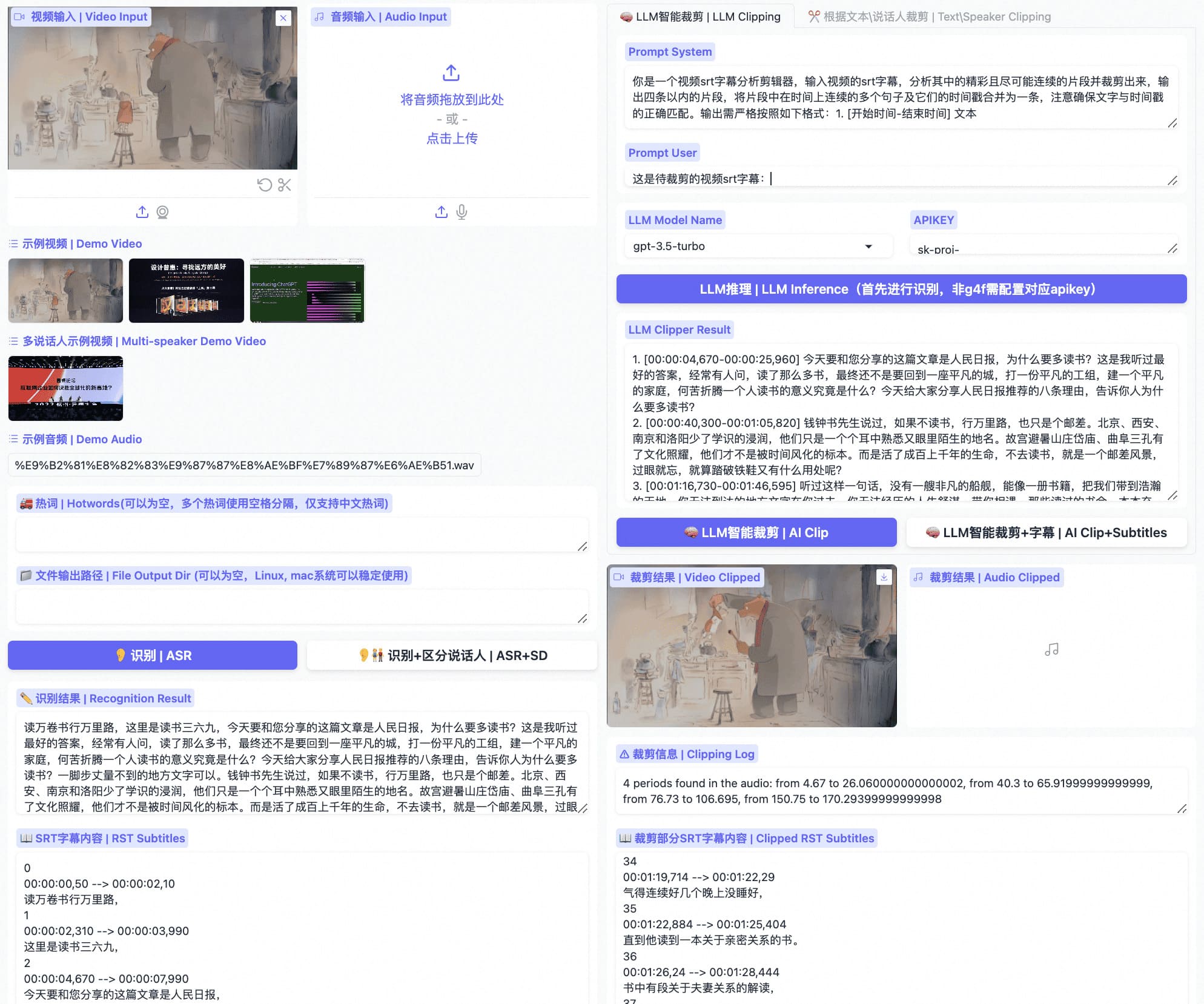
Find the remark before choosing the cut
MOSS-Transcribe-Diarize is a third-party model maintained by OpenMOSS. It supplies transcription and anonymous speaker time ranges; FunASR normalizes the result, and FunClip connects the ranges to subtitles and media editing.
- Keep the recording context. This path uses no external VAD or speaker model. Splitting it into independent requests first can lose the context needed for consistent recording-local labels.
- Check the target remarks in the subtitles. Labels locate candidate passages. Listen to names, numbers, interruptions and transitions rather than treating a label count as acceptance.
- Export one cut before scaling up. Replay its start, end and subtitles. A successful editing command is not enough.
Which edits fit this path?
- Whole-segment or speaker-based cuts: MOSS provides segment-level timestamps, and FunClip also supports valid speaker turns shorter than a second.
- Precise arbitrary character-level text edits: keep the Paraformer path and check its language and timing support. Dividing a sentence evenly does not create word alignment.
- A final segment without its end timestamp: the documented FunClip release reports truncation and suggests increasing
--moss-max-tokens, instead of silently discarding that segment. Check the tail again; a larger limit does not guarantee complete recall.
For a new deployment, use the maintained MOSS guide to check runtime, memory and response format. The old commands below explain this release, not current environment preparation. Do not expose the backend directly to the public network.
Appendix: the historical v2.2.0 release
The original commands, archive hashes and verification scope follow. They are not a current installation recipe. In particular, the unpinned pip install -U vllm is not a compatibility guarantee today; do not copy it as an upgrade instruction. Recheck dependencies, served model names and formats in the maintained guide. Relative FunClip commands assume the corresponding repository root.
The historical integration used OpenMOSS-Team/MOSS-Transcribe-Diarize revision e8681d68e7042738ffca8ac8212bc8fcb1131ab8. Its FunASR 1.4.9+ integration normalized text, timestamp and sentence_info; FunClip 2.2.0 rendered SRT and performed the cuts. This is not a compatibility promise for every future version.
The service and request used then
python -m venv .venv-moss
. .venv-moss/bin/activate
pip install -U vllm

vllm serve OpenMOSS-Team/MOSS-Transcribe-Diarize \
  --revision e8681d68e7042738ffca8ac8212bc8fcb1131ab8 \
  --served-model-name moss-transcribe-diarize \
  --trust-remote-code --host 127.0.0.1 --port 8898
This historical check used response_format=json; it is not a universal format contract for every MOSS backend:
curl -fsS http://127.0.0.1:8898/v1/audio/transcriptions \
  -F file=@sample.wav \
  -F model=moss-transcribe-diarize \
  -F response_format=json \
  -F max_completion_tokens=8192
The FunClip launch options used then
python -m pip install -U -r requirements.txt
python funclip/launch.py \
  --model moss \
  --moss-backend vllm \
  --moss-base-url http://127.0.0.1:8898/v1 \
  --moss-max-tokens 8192
When bearer authentication is required, provide it through MOSS_API_KEY, not command arguments or the repository.
Archives and functional checks
FunClip-2.2.0.tar.gz
SHA256 994c5d9cf392b74b36284d526eca8bada1560a3e7825ab7baa9c673a1b4ef216

FunClip-2.2.0.zip
SHA256 4f5a7d33d9ea65467f29b55b15ed5be18e64de7e57e2f9f36fe51a23b40557e7
Archives and SHA256SUMS are in the FunClip v2.2.0 release. Commit c205bf32a8b11226ff5e8acb9a3c7a1f00cd3b06 had 84 passed and 1 skipped repository tests; the H100 + vLLM two-speaker case returned S01/S02, valid SRT and an S02 cut. These are historical results, not reruns for this edit or evidence for every language, recording condition or concurrency level.
Next, use one short interview you are authorized to process. Follow the MOSS deployment guide through the same path, then replay the first exported cut.