

Subtitle Edit 5.2: Generate Local Video Subtitles with Fun-ASR Nano or SenseVoice
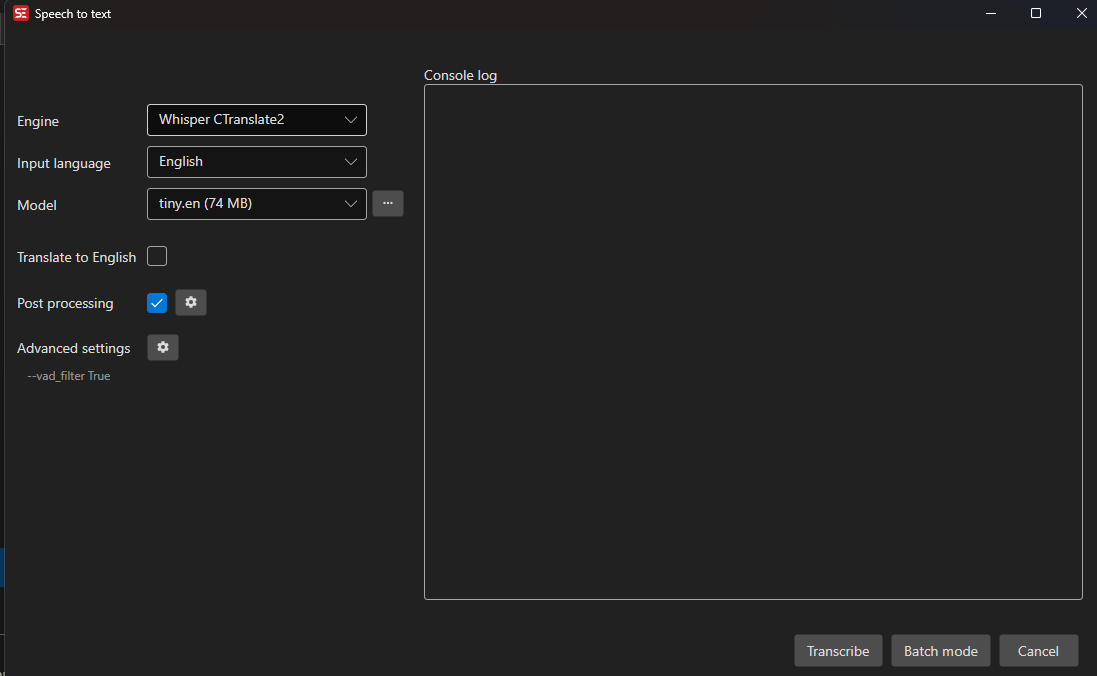
Subtitle Edit is a cross-platform, open-source subtitle editor. Its v5.2.0-beta2 release contains the Crisp ASR Fun-ASR Nano and Crisp ASR SenseVoice local speech engines on Windows, macOS, and Linux. You can generate subtitles from video and keep working in the same app to time, segment, review, and export them.
Start local transcription in three steps
- Install or extract Subtitle Edit v5.2.0-beta2 and open the source video.
- Choose
Video → Audio to text. - Set Engine to
Crisp ASR Fun-ASR NanoorCrisp ASR SenseVoice, then choose a language and model precision and start transcription.
The workflow stays in Subtitle Edit, without sending audio to a cloud service. The resulting subtitles can use its timeline, waveform, format conversion, and quality-control tools.
Choose the right backend
| Engine | Languages | Precision and download size | Best fit |
|---|---|---|---|
| Fun-ASR Nano | Chinese, Cantonese, English, Japanese, Korean | Q4 0.90 GB Q8 1.27 GB F16 1.98 GB | Stronger transcription with enough device memory |
| SenseVoice | Auto detection, Chinese, Cantonese, English, Japanese, Korean | Q4 136 MB Q8 252 MB F16 469 MB | A compact runtime with native language, emotion, and audio-event tags |
The language lists and model sizes come directly from the v5.2.0-beta2 Fun-ASR Nano engine source and SenseVoice engine source. Q4 minimizes memory use, Q8 balances size and precision, and F16 is the largest option.
What this beta update verifies
Subtitle Edit PR #13063 updates the CrispASR runtime and reports a SenseVoice transcription probe on the Apple Metal path. It also adds other engines. Fun-ASR Nano and SenseVoice were already present in the project, so this is not presented as the PR that first introduced those backends.
- The release supplies downloadable assets for Windows, macOS, and Linux.
- All three precision options for Fun-ASR Nano and SenseVoice are listed in the exact-tag source.
- The local workflow keeps recognition, subtitle timing, segmentation, and format export in one desktop tool.
Validate timing and text quality on a short representative clip before processing long video. For reproducible reports, include the operating system, engine, model precision, and a minimal media sample.
Download Subtitle Edit v5.2.0-beta2